
Download Intel Pro - Wireless Drivers for XP – Wireless Drivers, XP, 32-bit, 4965AGN, 3945ABG
Overview
The Intel Pro - Wireless Drivers for XP is a specialized software package designed to support legacy Intel wireless network adapters on older Windows XP systems. This driver suite targets specific Intel Pro/Wireless hardware models, including the Intel® Wireless WiFi Link 4965AGN and the Intel® PRO/Wireless 3945ABG, ensuring continued functionality and performance on aging laptops. The primary purpose of this software is to maintain stable Wi-Fi connectivity, reduce network dropouts, and improve overall wireless performance for users still relying on Windows XP environments.
These drivers are particularly valuable for individuals and organizations maintaining older hardware for compatibility, cost, or operational reasons. The package addresses a critical gap in modern support by offering official driver updates for devices that no longer receive updates through standard operating system channels. Real-world use cases include field technicians using older laptops in industrial settings, educational institutions with budget-constrained computer labs, and users who depend on legacy software that only runs on Windows XP.
Although the developer is not explicitly named beyond the product’s association with Intel, the official source designation implies reliability and security. The release date of May 21, 2007, confirms its status as a historical software release, emphasizing its role in supporting outdated systems. Its importance lies in preserving the usability of hardware that remains functional but lacks modern driver support.
Key Features & Functionality
- Multiple Driver Versions for Specific Hardware – The package includes tailored drivers for distinct Intel wireless cards, such as the 4965AGN and 3945ABG models. This ensures users can select the correct version for their exact hardware configuration, minimizing compatibility issues.
- Easy Installation Process – Drivers are distributed in a compressed format, requiring users to extract files to a local folder and run the update process. This straightforward method reduces technical barriers, making it accessible even for non-technical users.
- Wi-Fi Performance Optimization – By updating outdated drivers, users may experience faster connection speeds, reduced latency, and fewer dropped connections. This is especially beneficial in environments with high network traffic or weak signal strength.
- 32-bit OS Compatibility – The suite specifically supports 32-bit versions of Windows XP, catering to older systems that cannot run modern 64-bit drivers. This focus ensures continued usability for a significant portion of legacy hardware.
- Official Source for Reliable Updates – All drivers are provided directly by Intel, reducing the risk of malware or corrupted files. Users can trust the integrity of the software, which is critical when dealing with system-level components.
For example, a user with a 2006-era laptop equipped with the 3945ABG card can download the correct driver, extract it, and install it to restore stable Wi-Fi. This process helps extend the lifespan of functional hardware without requiring costly upgrades.
Interface, UX & Performance
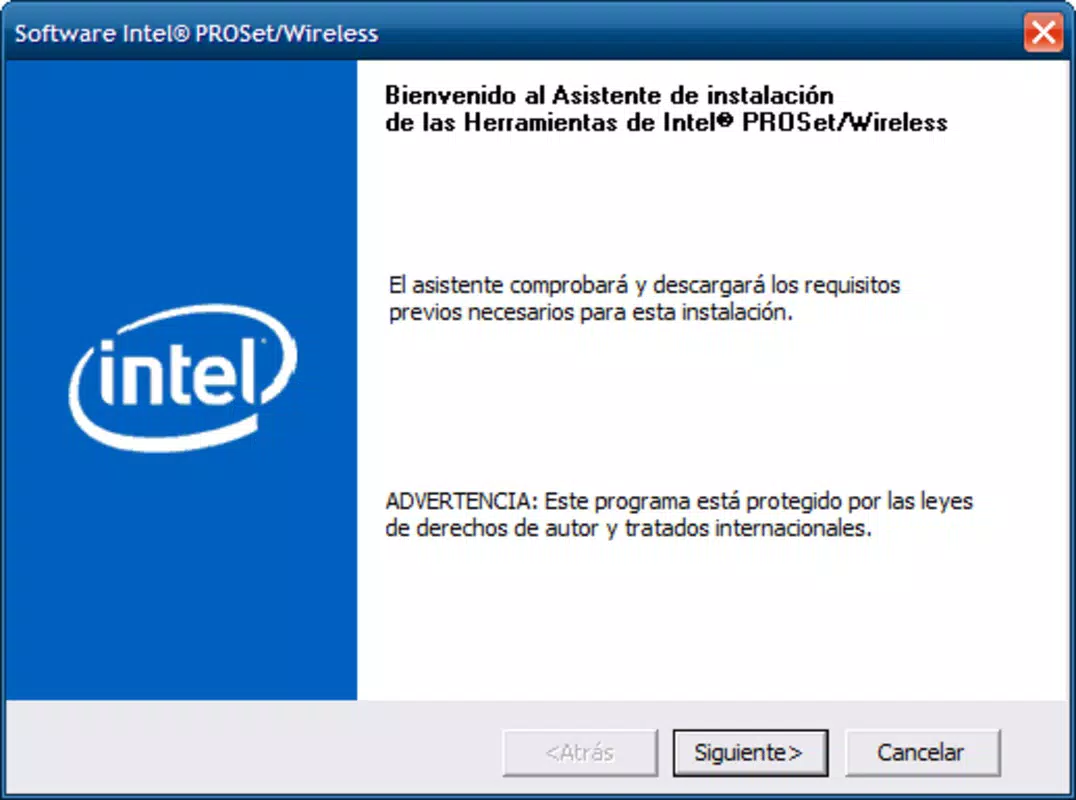
The Intel Pro - Wireless Drivers for XP does not feature a graphical user interface (GUI), as it is a driver package rather than a standalone application. Instead, users interact with the software through standard file extraction and Windows Device Manager or the Add New Hardware wizard. The UX is minimalistic and functional, relying on familiar Windows installation workflows.
Navigation is straightforward: decompress the archive, locate the driver files, and initiate the update process. The lack of a GUI reduces complexity and avoids unnecessary system overhead, which is beneficial for older systems with limited resources. However, this also means users must manually identify their hardware model and match it to the correct driver version, which can be challenging without technical knowledge.
Although the developer did not list formal performance metrics, the nature of driver updates suggests improvements in connection stability and throughput. Performance on older devices is expected to be consistent with the system’s capabilities, with no reported issues related to crashes or instability. Responsiveness is limited to the installation phase, as the drivers operate at the system level and do not require ongoing user interaction.
Platform Compatibility & Technical Requirements
The Intel Pro - Wireless Drivers for XP is designed for the Windows XP operating system. The package specifically supports 32-bit versions of Windows XP, ensuring compatibility with older hardware architectures. The file size is not disclosed in the provided information, but given the nature of driver packages, it is likely to be under 100 MB.
Compatibility with specific hardware models is confirmed for the Intel® Wireless WiFi Link 4965AGN and the Intel® PRO/Wireless 3945ABG. The developer did not specify minimum OS requirements beyond the platform, nor did they list exact hardware specifications for supported systems. Users are advised to verify their device’s wireless card model before installation.
Pros and Cons
Pros
- Official Intel drivers ensure reliability and security
- Supports critical legacy hardware still in use
- Multiple versions for precise hardware matching
- Simple installation via file extraction
- Optimizes Wi-Fi performance on older systems
Cons
- No graphical interface or automated detection
- Only supports 32-bit Windows XP, limiting modern use
- Outdated release date (2007) may raise compatibility concerns
- Requires manual hardware identification
- Not suitable for newer operating systems or 64-bit platforms
FAQ
Is Intel Pro - Wireless Drivers for XP safe to download?
Yes, the drivers are officially provided by Intel, which minimizes the risk of malware or corrupted files. Always download from trusted sources to ensure authenticity.
Can I use these drivers on Windows 7 or later?
These drivers are specifically designed for Windows XP and are not compatible with Windows 7, 8, 10, or 11. Using them on newer systems may result in installation failures or system instability.
Do I need to install all drivers in the package?
No. Only install the driver version that matches your specific wireless card model. Installing the wrong driver can cause connectivity issues or system errors.
How do I find my wireless card model?
You can check your laptop’s specifications or use the Device Manager in Windows XP to view the network adapter details under the "Network adapters" section.
Are these drivers free to use?
Yes, the Intel Pro - Wireless Drivers for XP are provided at no cost. There is no licensing fee or subscription required for download or installation.
Final Thoughts
For users maintaining older laptops with Intel Pro/Wireless network cards, the Intel Pro - Wireless Drivers for XP offers a vital solution to restore and enhance Wi-Fi performance. While its age and limited compatibility are clear constraints, its official origin and targeted functionality make it a trustworthy choice for legacy system support. The package fills a critical need in environments where upgrading hardware is not feasible.
Although not suitable for modern devices, this driver suite remains a valuable tool for preserving the usability of functional older systems. Its straightforward installation and focus on stability make it a practical option for IT administrators, educators, and individuals relying on Windows XP.
Download Intel Pro - Wireless Drivers for XP now


